
Flash Call creates a personal grid of favourite contacts on iPhone. Tap a photo to start a call using Phone, FaceTime Audio or FaceTime Video.
See how it works
Official App Store screenshots. Open an image to see it larger.
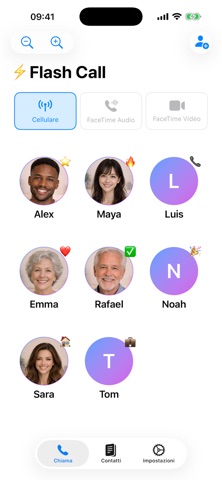
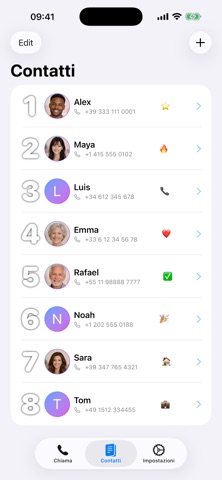

What you can do
- Add contacts from your address book.
- A photo grid of favourite contacts.
- Calls using Phone and FaceTime.
- Widgets for access from the Home Screen.
- Plus and minus buttons to resize contacts.
When to choose Flash Call
For people who want to reach contacts with fewer taps and less searching. The official description also suggests it for older people or anyone who finds small numbers hard to read.
Frequently asked questions
Can I use FaceTime?
Yes. FaceTime Audio and FaceTime Video are listed alongside Phone calls.
Does it have Home Screen widgets?
Yes, the App Store listing includes widgets for quick access.
Can I make contacts larger?
Yes, use the plus and minus buttons to change their size.
Developer: MITOTIM. The features described are based on the official App Store listing, checked on 10 October 2026. See the listing for prices, in-app purchases, age ratings, compatibility and availability in your country.
See privacy information on App Store ↗Explore more MITOTIM apps
Compare fitness, card, utility and game apps ↗
Try Flash Call
Find the app on App Store. See the official listing for compatibility, prices and availability.