
ChatShareApp lets you import ZIP archives of chats exported from WhatsApp, read messages and organise media on iPhone. It helps you revisit conversations and memories you have already exported.
See how it works
Official App Store screenshots. Open an image to see it larger.


What you can do
- Import WhatsApp chats exported as ZIP archives.
- Read conversations and filter them by date.
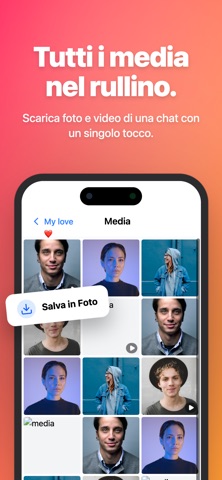
- Save photos, videos and files from a conversation.
- Send and receive archives via AirDrop or cloud services.
- Protect data with biometric access, as described on App Store.
When to choose ChatShareApp
For people looking for an exported WhatsApp chat reader or wanting to rediscover photos and messages from an important conversation. You start with an exported archive, not access to someone else’s WhatsApp account.
Frequently asked questions
How do I import a chat?
Export the conversation from WhatsApp as a ZIP archive and open it in ChatShareApp. You can also import an archive received from another user.
Can I find messages from a particular day?
Yes. You can filter conversations by date.
Can I save all the media?
The official description includes one-tap saving of media and files in a conversation.
Developer: MITOTIM. The features described are based on the official App Store listing, checked on 10 October 2026. See the listing for prices, in-app purchases, age ratings, compatibility and availability in your country.
Privacy policy for ChatShareApp ↗Explore more MITOTIM apps
Compare fitness, card, utility and game apps ↗
Try ChatShareApp
Find the app on App Store. See the official listing for compatibility, prices and availability.